Talk it through, find the image and let the story reveal what it wants to become.
Your local cinematographer · your creative partner
Your imagination.
Now in motion.
Kynd isn’t a one-click output machine. It is the late-night partner who stays with the idea: shaping the narrative, crafting the image, planning the shot and helping the whole thing move. With Z-Image and LTX 2.5 running locally, the distance between imagining and making has never felt smaller.
- Images into worlds
- Stories into shots
- Private, local, yours
For Apple Silicon Macs · macOS 14+ · 16 GB memory or more
ChatBuild
Qwen3.6-35B-A3B-UD-MLX-4bitMLX
Tools
Workbench
Hi, I’m Kynd. What shall we make?
Your private creative partner—with live references when the idea needs them.
ImagineFind the image inside an idea
WriteShape a feeling into a story
DirectTurn a scene into camera beats
ResearchFind visual references and details
I keep picturing a deserted 1970s seaside funfair after rain. Find the period details, then shape it into a three-shot opening.
web searchrunning…done
web fetch+2done
Open on the aftermath: sodium lamps breathing through sea mist; rainwater turning the midway into a broken mirror. Then find one carousel horse still moving, before the final close-up reveals a fresh handprint on its wet paint.
References: BFI · Historic England · British Pathé
Web searchWeb fetchMemory
Private
Thinking
QuickStandardDeep
Message your local model… (Enter to send, Shift+Enter for a new line)
Runs fully on this Mac. Web search is used only when the model needs fresh information.
A meaningful moment in creative history
The distance between imagining and making is collapsing.
For most of history, turning an inner picture into a finished scene meant finding a crew, a studio, a budget and a way through every technical gate. Those crafts still matter. But the right to begin has changed.
Z-Image gives an idea form. LTX 2.5 gives it time, camera and performance. Kynd brings them together as one creative relationship on your Mac—helping you find the narrative, hold the character, choose the shot and keep going when the rest of the house has gone quiet.
There are very few barriers left between what we can imagine and what we can create. What an exciting time to be alive—and to make.
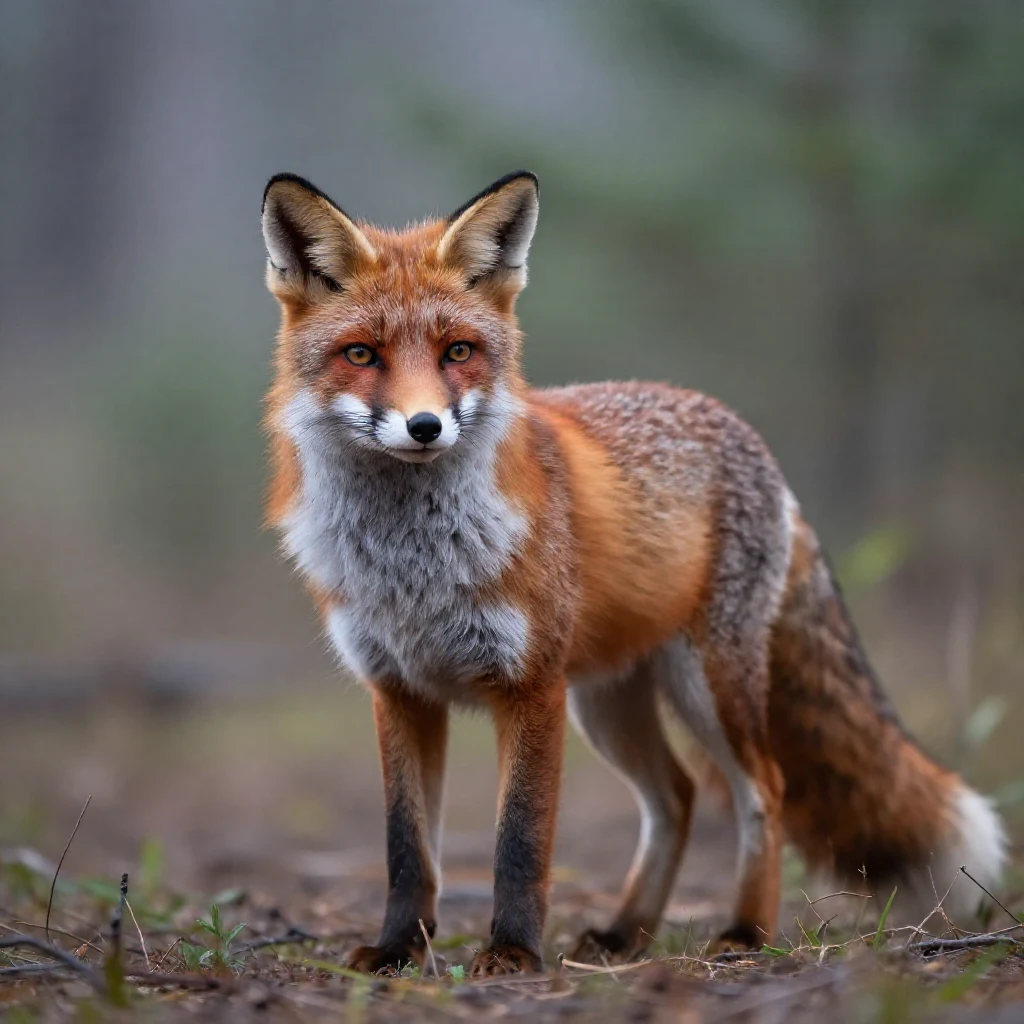
Both made locally. Both available from 16 GB upward.
Kynd translates creative intent into references, camera language and a plan you can shape.
The drafts, strange turns and breakthrough moments stay on the Mac beside you.
Our creative position
One click can make an output.
It can’t replace the making.
One-click AI can be impressive. Sometimes it is exactly the right tool. But Kynd’s mission is different: imagination turning into pixels through a collaborative creative experience.
One-click AI
Prompt in.
Result out.
The creator waits.
Fast can be useful. But when the entire creative journey is treated as friction, we lose the conversation, the choices and the happy accidents that make the result feel ours.
Our mission
Imagination
Pixels
The Kynd way
Talk. Explore.
Direct. Revise.
Surprise yourself.
You bring the taste, instinct and strange half-formed idea. Kynd brings curiosity, craft and the patience to keep creating beside you until the pixels carry what you meant.
Kynd is your cinematographer
One late-night idea.
A world by morning.
Start with a sentence, a feeling or a half-seen frame. Kynd helps shape the narrative, builds the people and places, turns them into a storyboard, and stands beside you for every camera decision. Then LTX 2.5 performs the scene on your own GPU, with the same character and the same creative thread carried from the first reference to the final cut.
◉The creative tier begins at 16 GB: the sheets, the multi-shot takes and the cut stay local—no cloud renderer and no per-generation fee.
Everything recurring gets a sheet. Characters, props and places are drawn once, then reused as the reference every later shot is conditioned on.
Direct each shot. Pick a camera move from 19 presets, or describe it — the direction is written into what gets generated.
The performance. Lock a real vocal to the timeline and the character sings your track, mouth on the words, across every change of angle.
Finish it. Heavy renders queue, a contact sheet catches drift, and the cut is fitted to the song.
StudioIngredientsBoardTimeline
3 of 6 references on this shot
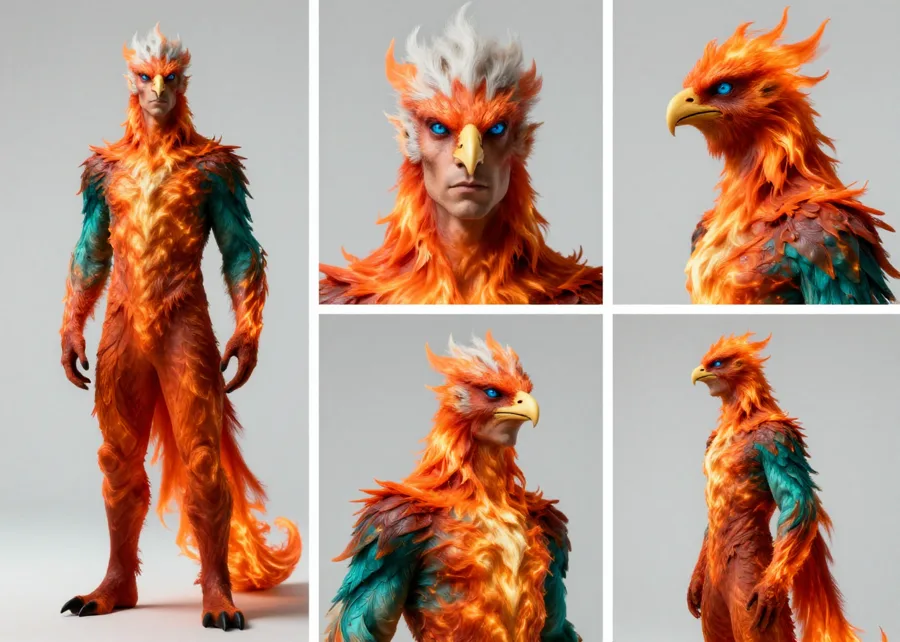
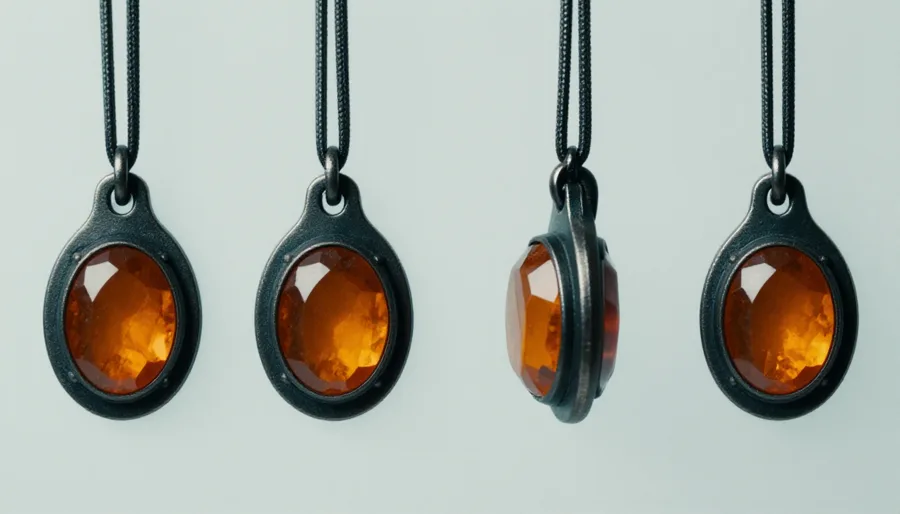
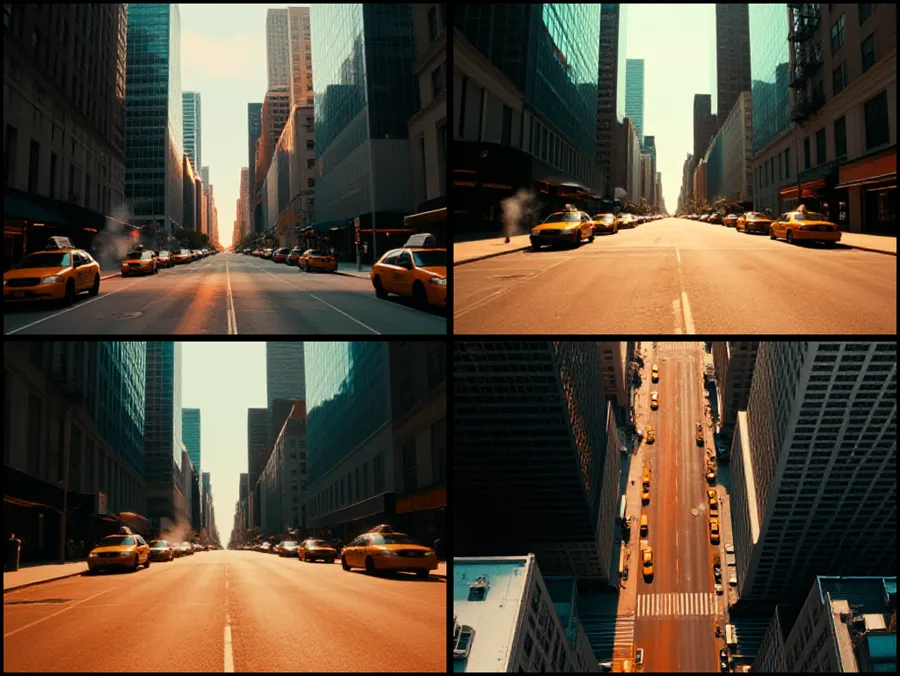
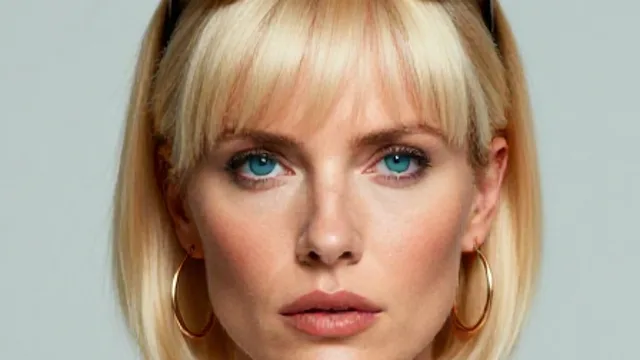
Real sheets, generated by Kynd’s own reference pass. Each one is written back with the recipe that made it, so changing the description redraws the card — until you approve it — and keeps the old one as a swappable take.
StudioIngredientsBoardTimeline
3 shots · 15.0s
 1
1 2
2 3
3Nineteen camera moves, grouped Direct, Spatial and Expressive — chosen from the shot inspector or just asked for in plain English. When a shot has to be carried by its still instead, Kynd swaps the move for the closest one a flat image can honestly perform rather than faking it.
StudioIngredientsBoardTimeline
Rendering the singing take…
Vocal
Lip sync
- Widethe whole van, guitar across his lap
- Straight onhe leans into the lens
- Profilejaw and beard working, landscape sliding past
- Lowhead tipped back, camera under the chin
The clip above is a real local render: four camera setups inside one continuous 20-second take, the character’s mouth on the actual vocal. Kynd’s streamed Social Fast Path now brings the same model, steps and creative recipe to every supported Mac from 16 GB upward. Sound on.
StudioQueueReviewDub
Cutting the film…
Render queue
Shot 1 · lip syncdone
Shot 2 · crane risedone
Shot 3 · orbit leftrendering
Shot 4 · 1080p refineTonight · 11pm
Queued to disk, so a restart resumes the work instead of losing it — and a render that has died three times is held rather than relaunched.
Continuity review
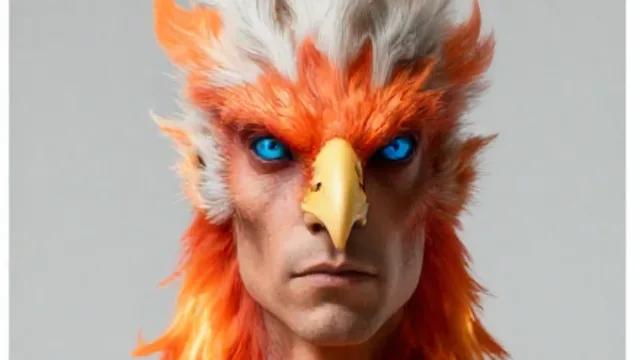

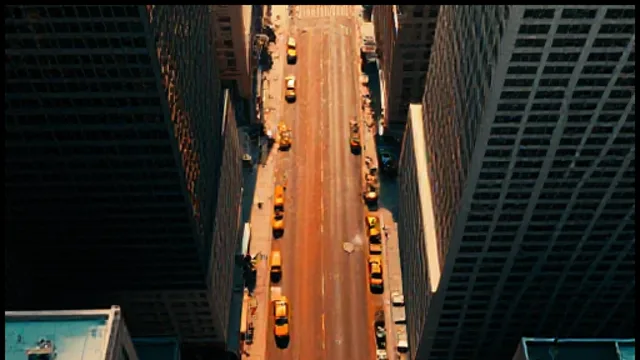
Shot 5 has drifted — palette runs cooler than the rest. Re-render suggested.
Ask whether your shots still look like the same film and Kynd lays every still out in one numbered contact sheet and tells you which have drifted. Music videos are fitted to the track — Kynd refuses to cut a film whose picture drifts more than 0.11 seconds from the audio, and never pads with still frames.
The same performance, another language
Choose from 16 languages and shape how the scene travels. Kynd transcribes, translates to fit the timing and renders the voice on your Mac.
Your rhythm survives the edit
Bring in a long performance and Kynd proposes vertical cuts around complete thoughts. You decide which moments deserve to become scenes.
Every creative leap waits for you
The treatment, lead, shot plan and look each pause at a checkpoint. Approve it, challenge it or change direction—Kynd keeps the work moving without taking the work away.
The courage to make the strange first draft
An unfinished idea deserves
a room of its own.
The half-written scene, the voice note you are not ready to share and the character who does not make sense yet are often where the real work begins. They should not have to leave your Mac before they have found their shape.
SCNDraft 03stays here
WAVMidnight melodystays here
WRLDCharacter biblestays here
Still works with Wi-Fi off
Your unfinished work stays home
The model, creative conversations, reference files and memory live on your Mac—not inside someone else’s account.
No sign-in on launch
Going online is a visible choice
When creative research needs the web, search and page reading appear in the conversation. The story and the thinking stay local.
Visible tool activity
Your creative room cannot be retired
Once downloaded, the model is yours to keep using—after midnight, on a train or long after an online service changes direction.
Works in airplane mode
Technology that gets out of the way
The best setup is the one you stop noticing.
Models, runtimes, ports and context sizes are not the creative act. Kynd handles the machinery, fits itself to the Mac you own, then leaves you alone with the idea and a partner ready to explore it.
- ✓Finds the most comfortable creative setup for your Mac
- ✓Prepares every local model with visible progress
- ✓Tunes speed and memory so the conversation can flow
 Kynd AgentGuided setup
1Welcome
2Essentials
3Models
4Permissions
5Calibrate
✓Ready
Welcome to Kynd Agent
A short, guided setup for your private creative partner. Everything is prepared and run on this Mac.
Checking local tools…
Preparing Kynd
Local toolsEverything Kynd needs is ready.
Ready
Show technical details
Choose how Kynd thinks
We’ve picked the most comfortable option for this Mac.
Apple M2 ProComfortable local model
32GB Unified Memory
Best fit
Qwen3.6 35B A3B UD — MLX 4-bitHigher-quality 35B vision model with a practical 4-bit footprint.
92/100
4-bitMLXVision20.2 GB on disk
Downloading model… 68%
A quick tune-up
Kynd is finding a comfortable pace for this Mac. You don’t need to adjust anything.
Tune-up completeKynd is ready at a comfortable pace for this hardware.
33.9tokens / sec
32kcontext window
8.1GB peak memory
Ready
Kynd is ready
Your private creative workspace is prepared. These choices can be revisited later in Settings.
MacApple M2 Pro · 32 GB
ModelQwen3.6 35B · On device
Tune-upComplete
Reference without leaving the room
Follow the curiosity.
Bring the truth back to the work.
Ask Kynd to find period details, visual references and the real texture of a place. Its local model turns what it finds into creative direction that stays beside the project—ready for the next image, scene or conversation.
The reference search and page requests go online. Your full conversation, creative brief and model stay on your Mac.
ChatBuild
Qwen3.6-35B-A3B-UD-MLX-4bitMLX
Tools
Workbench
Find grounded visual references for a rain-soaked British seaside funfair in 1978. Give me details I can use to direct the opening.
web searchrunning…
web fetch+1running…
Running web search…
1978 funfair — visual notes
Light and atmosphere
✦Warm pools of fairground light against cool sea mist
✦Hand-painted ride lettering, incandescent bulbs and weathered timber kiosks
✦Wet tarmac turning signs and bulbs into broken streaks of colour
Camera anchors
01Begin wide and empty; let one moving carousel horse reveal that the place is not abandoned
Keep the image tactile rather than nostalgic: real rain, salt on the glass and the uneven rhythm of practical bulbs.
Web searchWeb fetchMemory
Private
Thinking
QuickStandardDeep
Message your local model… (Enter to send, Shift+Enter for a new line)
Runs fully on this Mac. Web search is used only when the model needs fresh information.
Your late-night breakthrough partner
Start with a feeling.
Stay until it exists.
The first prompt does not need to be perfect. Kynd can help find the story, craft its images with Z-Image, make its music and guide it from a loose idea to a finished LTX 2.5 film on your Mac—including characters who sing your own track, lips matched to the words. You keep the authorship; Kynd keeps the thread moving.
↺Every stage stays editable: brief it, see what Kynd proposes, change your mind and take the next creative step together.
Find the intention together. Kynd turns the conversation into a brief you can question and reshape.
Give the idea a face. Z-Image makes a local character reference, ready for your next note.
Direct before you render. The storyboard and timeline wait for approval before LTX 2.5 performs the scene.
ChatBuild
Qwen3.6-35B-A3B-UD-MLX-4bitMLX
Tools1
Workbench
Make my claymation busker sing the chorus of my track, right there in his camper van.
One character, one track, one take
The whole performance is planned before anything expensive renders.
| Layer | Direction |
|---|---|
| Character | The claymation busker from your reference image |
| Sound | Your real vocal, locked to the timeline |
| Motion | He plays and sings the words — true lip-sync |
Creative brief
• Keep the clay texture and warm camper light.
• Frame close, so every word reads on his lips.
▌
Generate the character reference: a claymation busker with curly hair and a full beard, playing guitar inside his camper van.
generate image
Loading image model into memory...

Plan the singing shot from this reference — my track is the soundtrack.
Story planrunning…
The plan is on the Studio storyboard now — ready to review before anything renders.
Make it.
Video collaborator
Adding camera motion…
Web searchWeb fetchMemorygenerate image ×Video collaborator ×
Private
Thinking
QuickStandardDeep
Message your local model… (Enter to send, Shift+Enter for a new line)
Runs fully on this Mac. Web search is used only when the model needs fresh information.
kynd-clay-ingredient.png✕
PreviewStudioAll tabs · 12
The camper van session
BoardCanvas
Claymation warmth · the real vocal locked to the timeline
Shot 1: rendering the singing take…Cutting the film…
Storyboard
1referenceHe sings the chorus in the camper, guitar in handstatic · lip-sync · 5.0s
Timeline 5.0s · drag the right edge of a block to retime
1 · 5.0s
Made by this Kynd build
Image generation and both agentic production studios are included during the trial and with Kynd Pro. No cloud renderer and no per-generation fee.
The character reference and the 5-second 1536×1024 film in this demo were rendered locally with Kynd’s current image and film code.
Latest: 20 seconds, four camera setups, one take.
Three things conditioned this render at once — a reference frame for the character, the real vocal locked to the timeline, and a script naming four separate camera setups: wide, straight-on, profile, then low beneath his chin. Kynd’s streamed Social Fast Path brings this same 20-second, 481-frame creative recipe to every supported Mac from 16 GB upward. Sound on.
He’s singing the actual song.
One character reference — the image above — one music track, one request: Kynd’s Video Studio locks the real vocal to the timeline, so the mouth follows the words — not an impression of them. Rendered on a Mac, sound on.
Creative continuity, without a cloud profile
Return tomorrow.
The world still knows its rules.
Kynd remembers the durable things you choose to share—a character’s guarded nature, the colour of a recurring prop, the camera language you keep reaching for. The next conversation begins inside the same creative world.
Stored on this Mac
Forget one fact
Private stops new learning
Rolling 30-day recall stays in Kynd Free. Your memory remains visible and under your control.
Memory
Memory
The story takes place at a seaside funfair in 1978.
Prefers warm practical light and restrained camera movement.
The carousel horse is the recurring visual motif.
What the assistant has learned about you from your chats — stored only on this Mac. The dossier is rewritten by your local model as it absorbs saved conversations; recent facts are quick captures waiting to be folded in.
Dossier last updated recently.
Dossier
Identity
Recent facts
Making a nocturnal seaside short set in 1978.
How to work with themPrefers 16mm grain, warm practical light and patient camera movement.
Current threadsThe carousel horse remains the film’s recurring visual motif.
You establish the world“Warm practical light. Patient camera. The red scarf always returns.”
The creative rules stay visibleQuick local notes wait to be folded into the project’s context.
Your local model connects themThe dossier updates only when the model is idle.
The next scene belongsCharacters, palette and intent return without a cloud profile.
Ideas change when you hear them aloud
Talk to the character.
Find the scene together.
Describe the character, creative tension or room you need, then speak. Kynd can become a scene partner, question a choice or help you hear when a line is not alive yet—all through the local model.
Hands-free + system voice · free forever
One-time speech download · about 470 MB
Live product flow
ChatBuild
Qwen3.6-35B-A3B-UD-MLX-4bitMLX
Tools
Workbench
Be the stranger folding sheets in the laundrette at 2 am. Stay guarded. I’ll play the person who recognises you. Let’s find the scene one line at a time.
You have been watching the dryers for five minutes. If you know me, say my name. If you don’t, stop pretending.
I knew you before the red coat. Before you started leaving every room first.
Then you know why I leave. The question is why you keep arriving five minutes too late.
Web searchWeb fetchMemory
PrivateThinking QuickStandardDeep
Message your local model… (Enter to send, Shift+Enter for a new line)
Runs fully on this Mac. Web search is used only when the model needs fresh information.
Private rehearsalUses existing memory; writes nothing new
Local WhisperListens on this Mac after one download
Built-in Mac voiceNo extra download and free forever
Half-duplex by designTap the orb or press Space to interrupt
What creative collaboration means here: you tell the local model who is in the room, what the scene needs and when to push back. Kynd does not hide the process behind a character picker or one-click mode.
Creativity should not begin with a subscription
Start making for free.
Keep the relationship.
Start with every Kynd Pro feature unlocked for 30 days. When that ends, Kynd does not disappear or hold the conversations hostage. The creative partner at the heart of it simply carries on for free.
∞
£0 forever
Kynd FreeNo monthly bill. No expiry.
Creative conversationUnlimited local dialogue with Kynd
Live reference researchGrounded creative context with visible sources
30-day creative continuityProjects and preferences remain under your control
Speak ideas aloudLocal transcription and built-in Mac voice
10 project source filesBring scripts, notes and references into the room
Hardware-aware setupCreative flow fitted to the Mac you actually own
First 30 days
The whole creative studio is open. Try images, Kynd Music Studio, multi-shot film, Deep Research, Build and remote collaboration—no card required.
Download and start creating
957 MB app · model downloads separately · uninstall whenever you like
Want the full creative studio?
Images, Kynd Music Studio, multi-shot filmmaking, Deep Research, Build, remote collaboration, workflows and permanent creative memory—one payment, no recurring Kynd fee.
See pricing
Creativity rarely arrives as a finished brief
Begin anywhere.
A feeling, a line, a reference, an image you cannot quite see yet. Kynd meets the idea where it is and helps you discover where it wants to go.
Create with KyndPrivacy makes brave first drafts possible
Make the strange version first.
It stays in the room.
Turn off Wi-Fi halfway through a creative conversation. Kynd keeps thinking because the unfinished work never left your Mac.
See the honest cloud comparison This website counts anonymous page and section views, attention time, scroll depth, clicks, download starts, checkouts and completed sales so the maker can understand what is working. It never records form values, cursor trails or session replay, and stores no message content. The desktop sends no launch or usage telemetry. Web search and page reading connect only when you choose to use them, and feedback is sent only after you select, preview and approve its diagnostic sections.No accountThe app never asks who you are.
✓No launch telemetryOpening Kynd sends no analytics. Online tools connect only when you choose to use them.
✓Plain local filesChats and memory are yours to inspect.
✓Offline by designPull the connection. It keeps talking.
✓Questions before the first frame
The honest answers.
Local creative AI is a different relationship. Here is what to know before you begin.
Does Kynd make everything in one click?
It can automate difficult production steps, but one-click output is not the mission. Kynd is designed for a collaborative process: talk through the idea, review the brief, direct the image, revise the scene and decide what happens next. The joy and authorship stay with you.
Is Kynd really free?
Yes. Every Kynd Pro feature is open for your first 30 days. After that, local chat, web search, calibration, the macOS system voice, up to ten knowledge files, and rolling 30-day memory keep working for as long as you have the app. There is an optional one-off licence for the agent and creation tools, but the free assistant does not expire.
Does web search send my chats to the cloud?
No. Your conversation and the model stay on your Mac. When an answer needs fresh information, Kynd uses its visible web search or web fetch tools to find and read public pages. You can see that tool activity directly in the chat.
Do I need to install models or use Terminal?
No terminal is required. Kynd checks your Mac, recommends the appropriate model, downloads it with a progress bar, then measures real speed and available memory so the settings fit your machine.
Can I talk to Kynd without an internet connection?
Yes. The first use downloads a local speech recogniser once—about 470 MB. After that and the initial chat-model download, hands-free Voice conversation can listen, answer, and speak without the internet. The built-in macOS system voice and hands-free conversation remain part of Kynd Free.
Can Kynd become a scene partner?
Yes. Describe the character, creative tension or room you need in a normal Chat prompt, then rehearse by typing or speaking. Turn on Private when you want the scene to use existing project memory without teaching long-term memory anything new.
Will it run on my Mac?
You need an Apple Silicon Mac—M1 or later—with macOS 14 or newer and at least 16 GB of memory. A 16 GB Mac gets a smaller, quicker model; machines with more memory can run larger ones.
Is local AI good enough for serious creative work?
Yes—especially when the work benefits from privacy, continuity and iteration. Frontier cloud models remain stronger at the hardest raw-reasoning tasks, but Kynd combines capable local thinking with source research, memory, Z-Image, music and LTX 2.5 filmmaking in one creative relationship on your Mac.
How large is the download?
The app is 957 MB because the local runtime is included. Your model downloads separately on first run—about 7.5 GB for the 16 GB tier, and more for larger models. Kynd shows the progress and handles the setup.
Imagination, meet local AI
What will you make now?
Your cinematographer, image-maker, story partner and private local assistant—ready for the thought that arrives after midnight.
Download Kynd — free No account · No card · Apple Silicon · macOS 14+